For hospitality owners and managers
Fewer repeat questions. More time running service.
Put your venue’s menu, drinks and service procedures in your team’s pocket. Staff find what they need; managers keep information, checklists and training up to date.
Now inviting founding pilot venues. Setup is led by the founder.
Explore the app tabs or choose a preset question.
Interactive product preview · Example venue data
Three everyday workflows
Answers for staff. A clearer view for managers.
Menu information, shift tasks and training belong in one place. FloorMate puts them within reach during service, so your team can keep moving and you can see what needs attention.
Your venue’s information, at hand.
Staff can check ingredients, availability and recorded safety details without hunting through notes. Unknown safety details still need a kitchen or manager check.
- Menu and drinks records you can keep up to date
- Unknown safety details clearly marked Verify
Referenced item
Gluten is present. Coeliac suitability is not confirmed.
Details
Wagyu beef · Wheat wrapper · Ginger · Sesame oil · Soy
Safety-critical
- Gluten
- Contains
- Sesame
- Contains
- Soy
- Contains
- Shellfish
- No
- Dairy
- No
- Coeliac suitability
- Verify
Staff answers workflow selected. Your venue’s information, at hand.
See it with your venue in mind.
Book a 20-minute demoManager controls
Keep the team up to date.
Your venue’s information, with managers deciding what staff see and what needs review.
Keep menu details current
Update dishes and drinks, mark items unavailable and restore them when they’re back.
Publish when you’re ready
Draft, preview and publish procedures. Unfinished drafts stay private.
See what’s been completed
Review completed shift checklists, quiz responses and gaps in your team’s knowledge.
Add staff, manage their access and assign training within your venue.
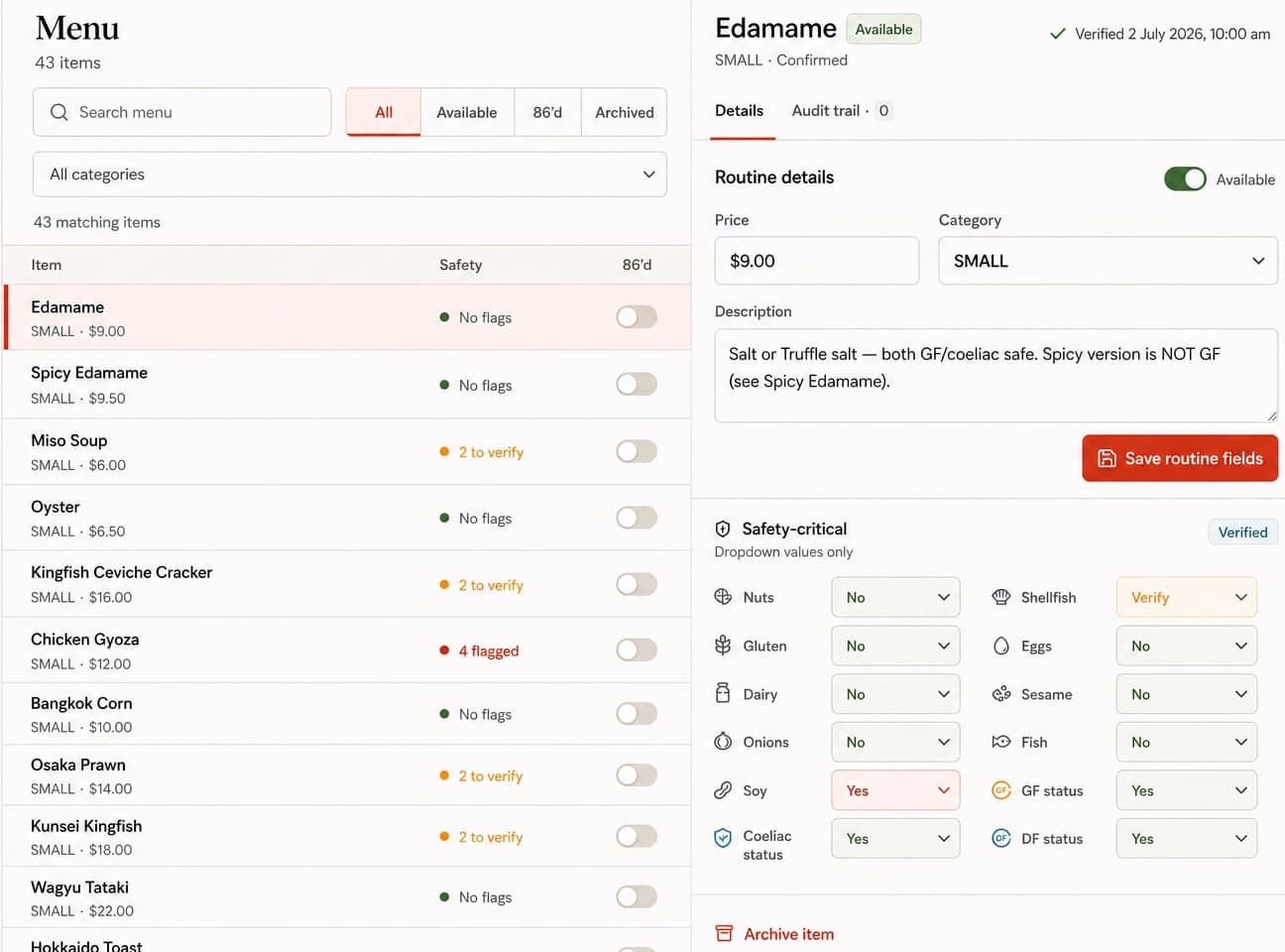
Example venue · Menu record
Edamame
Available- Category
- Small plates
- Price
- $9.00
Managers can edit the record and change availability as service changes.
View full manager screen
Product preview · Example venue data. Scroll sideways to see the full screen.
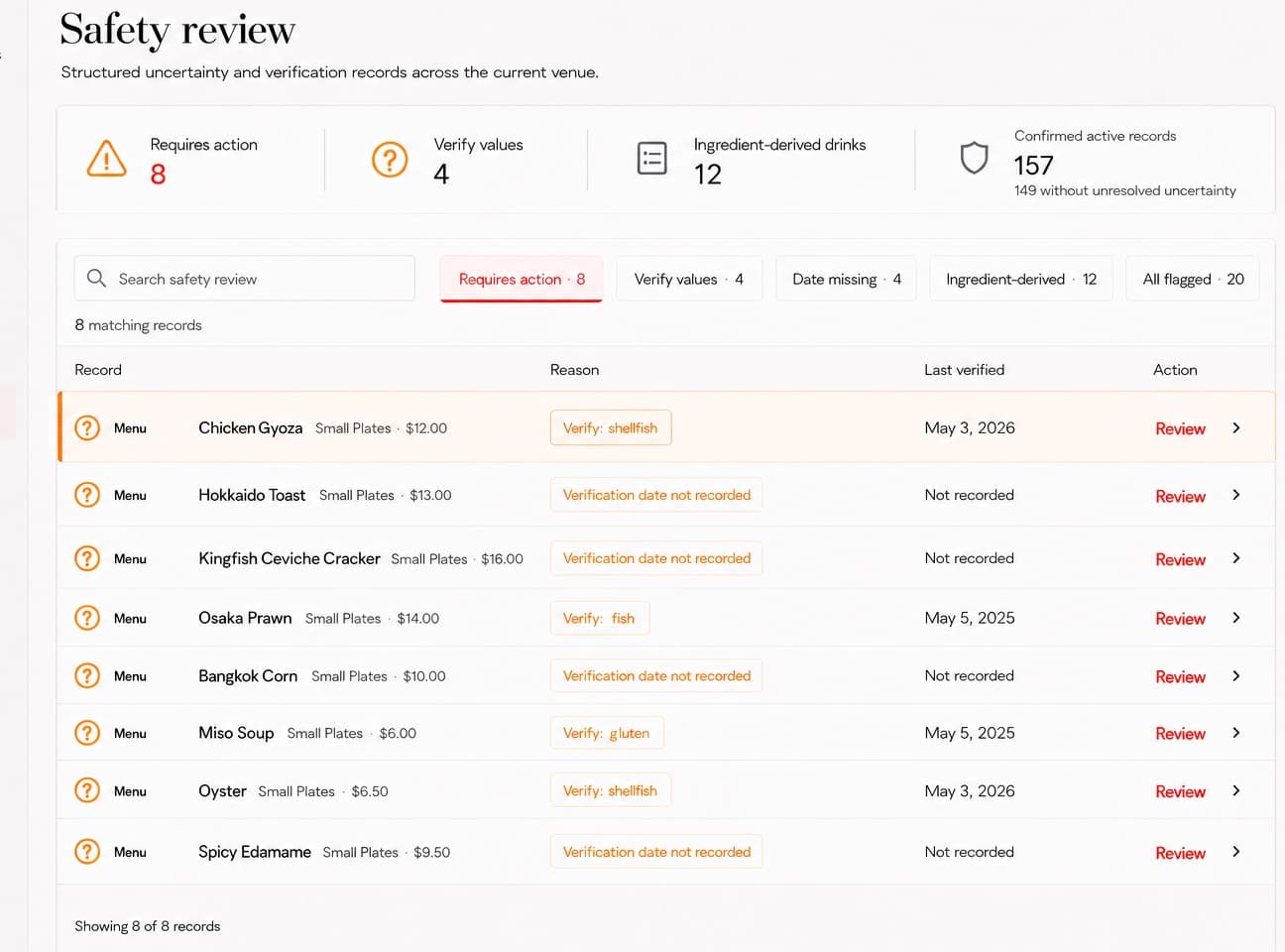
Safety and review
Unknown information stays marked Verify.
Unresolved safety details enter manager review. Staff still need to confirm with the kitchen or manager before service.
FloorMate supports your venue’s procedures. It does not replace escalation or guarantee guest safety.
Example venue · Safety review
Chicken Gyoza
VerifyShellfish information needs confirmation.
View safety review screen
Product preview · Example venue data. Scroll sideways to see the full screen.
How a pilot works
Start with one workflow. We’ll help you set it up.
The founding pilot is set up with you and tested with a small team, using your venue’s information.
- 01
Choose one workflow
Start with the questions staff ask most, a shift checklist or a training need. We agree the focus together.
- 02
We help you set it up
We structure your menu, drinks or procedures for the agreed workflow. Your manager reviews the information.
- 03
Try it during service
One manager and a small staff group use it on the floor, then share what worked and what needs adjusting.
Before we talk
What to know about the pilot.
Where the product stands, how setup works and what your team can expect.
What stage is FloorMate at?
A working product exists and has been run against real venue information. The founder helps set up each pilot. FloorMate is in active development and is not a self-serve platform yet.
What can be included in a pilot?
A pilot can cover staff answers, Menu and Drinks knowledge, SOPs and checklists, or short-answer quizzes with manager review and knowledge-gap reporting. We agree the first workflow together.
How is our venue information added?
We help structure your venue’s information for the agreed workflow and review it with you. Automatic imports from files and self-serve onboarding are not currently available.
Does FloorMate work offline?
After an authenticated online unlock, Menu, Drinks and published SOP knowledge can remain available until the staff session expires. Ask, admin actions, checklist changes and sign-off require a connection.
Does AI decide whether something is allergen-safe?
No. Allergen status comes from information entered by people, not an AI verdict. Missing or uncertain information displays Verify, and anaphylaxis prompts immediate escalation according to venue procedure.
Does FloorMate integrate with our POS?
Not currently. FloorMate can store and surface venue-specific POS procedures, but it does not sync with a POS platform.
Are quizzes graded automatically?
Grading is AI-assisted, not fully automatic. The first two completed attempts for each quiz set are routed to manager review, and ambiguous or low-confidence responses remain reviewable rather than automatically failing staff.
Founding venue pilot
Try FloorMate with one workflow your team uses every shift.
We’re inviting a small group of founding venues to pilot FloorMate. We help you set up one workflow with your venue’s information, starting with a 20-minute demo.
- Collaborative setup around one agreed workflow
- Built around your venue’s information
- Direct feedback throughout the pilot